


Taskly is an Astro and Tailwind CSS theme for task-management and team-collaboration SaaS products: project tools, team workspaces, planning apps, and remote-work software. It ships about 30 page designs, including 3 homepages, in English, French, and Arabic, with full right-to-left support.
Most changes in Taskly are edits to plain text files, not code: text, images, buttons, menus, and the layout of every section that has more than one. Colors are a few values in one CSS file. When you do want to change code, the theme ships instruction files that tell AI coding tools how it is built.
Taskly comes in three editions with the same design and pages: Astro (files in a code editor), Tina (the same files, with a visual editor at /admin/), and Sanity (content in your own Sanity project, with a Studio). See Editions. These docs show the Astro edition’s files. Editable In Tina and Editable In Sanity show where the same things live in those editions.
What Is Included
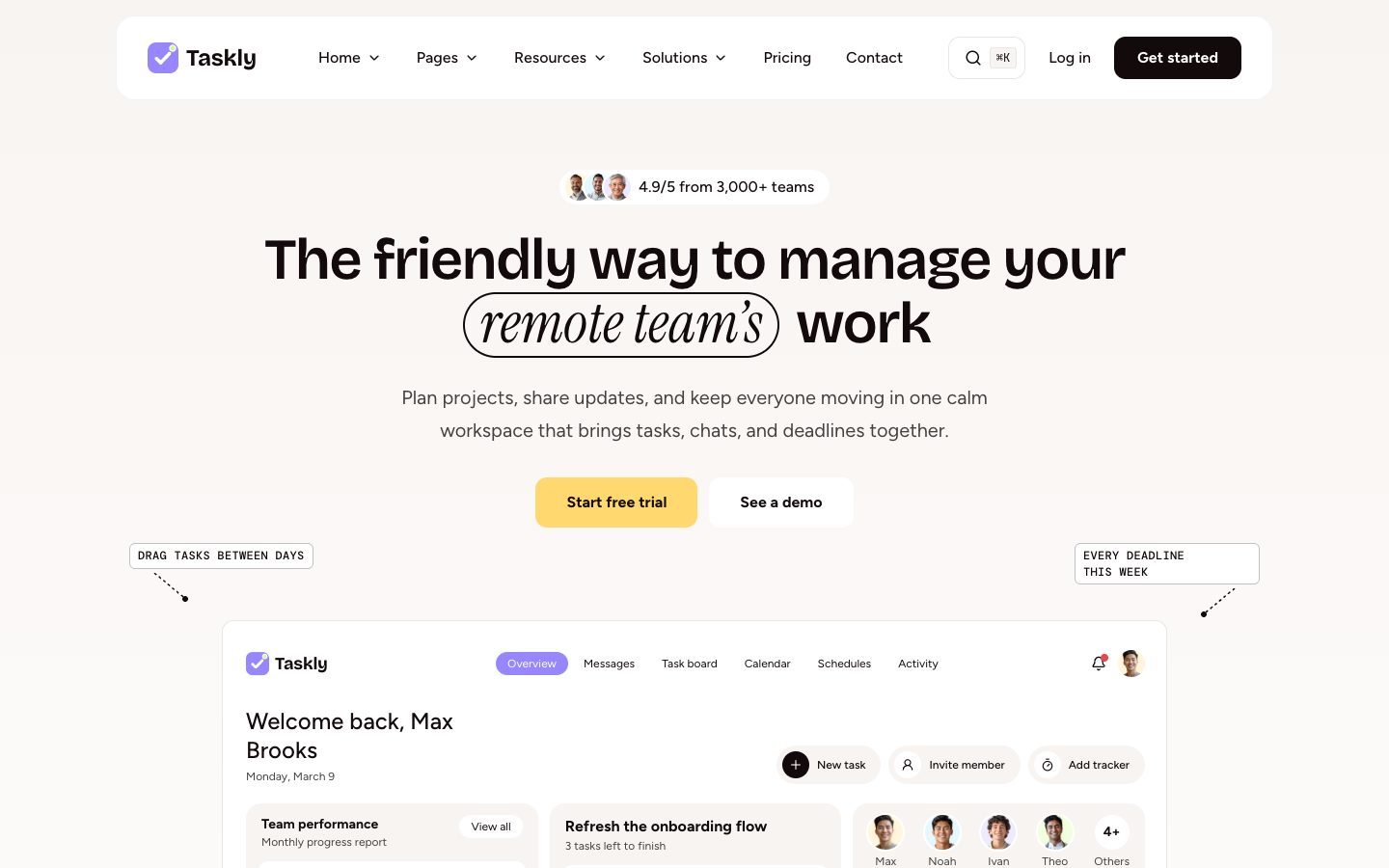
- 3 homepages built from the same sections: a centered hero with a coded product dashboard (
/), a split hero with product cards (/home-2/), and a sign-up hero with an email field (/home-3/), each with its own header and footer - Product pages: features, pricing with a monthly / yearly switch and a plan comparison table, integrations directory and detail pages, solutions by team (directory and one page per team), and a templates gallery with a page per template
- Content: blog with authors, categories, tags, and RSS; changelog with tags and RSS; help center; FAQ grouped by topic
- Company: about, reviews, careers with a page per open role, contact, request a demo, and a system status page (a static sample you edit by hand)
- Account and legal: log in, sign up, and password reset screens (design only, with no account system), privacy policy, terms, cookie policy, and a 404 page per language
- 3 headers (
default,bar,islands) and 4 footers (default,wordmark,newsletter,tiles), picked per page withheaderLayoutandfooterLayout - 47 section components. 9 of them have more than one layout (22 layouts in total, counting each default), and you switch between them with one line. The page header has 2 layouts of its own
- A coded product UI: the dashboard, calendar, team chat, and task cards inside the sections are HTML, not screenshots, so their text comes from your content files and translates with the rest of the site
- Three languages: every page in English, French, and right-to-left Arabic. The Arabic text is a machine translation, so have a native speaker review it before you publish. See RTL & Arabic
- Built in: site search (⌘K), smooth scrolling, an announcement bar, cookie consent, SEO (sitemap,
robots.txt, structured data, generated Open Graph images),llms.txtand Markdown copies of pages, “Ask AI” links, contact forms (Formsubmit, Formspree, or Netlify Forms), and Mailchimp newsletter forms
Choose Your Path
Every guide in these docs starts with the plain-language task, then shows the exact file and setting. Pick the path that matches how you like to work:
The Files You Will Edit Most
| What you want to change | Where it lives |
|---|---|
| Site name, URL, forms, and global switches | src/config/config.toml |
| Header and footer links | src/config/menu.en.json, menu.fr.json, menu.ar.json |
| Colors, radii, type scale, and breakpoints | src/styles/theme.css |
| Fonts | src/config/fonts.json |
| Text and images of a section | src/content/sections/english/ (and french/, arabic/) |
| Text and section settings of one page | src/content/<page>/english/-index.md |
| Blog posts, changelog, templates, and other lists | src/content/<collection>/english/ |
| Dashboard sample data, cookie banner, announcement bar | src/content/widgets/english/ |
| Button labels and other small interface text | src/i18n/en.json, fr.json, ar.json |
Links
- Layout Gallery: every layout of the 9 sections and of the page header on one page. In your copy, run
npm run devand openhttp://localhost:4321/elements/ - Support